

In Google Chrome, for signature requests that require the use of the camera by the signer, it may happen that when activating the camera you will see the following message:
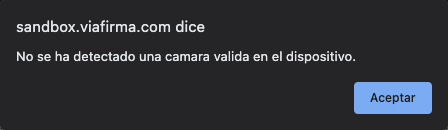
In most cases, this is a permission-related issue between the browser itself and the camera.
Solution 1
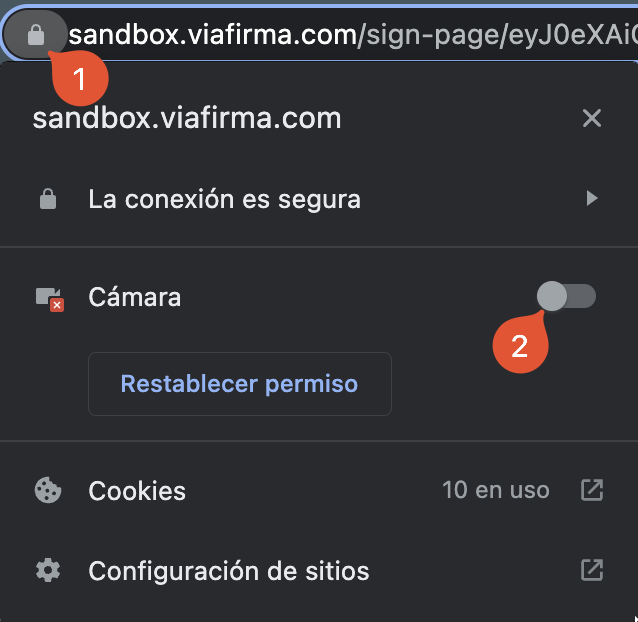
Check that we have camera permissions enabled. This can be done by clicking on the padlock in the navigation bar and activating the Camera permission. Once modified, it is necessary to reload the page to see the changes reflected.
Solution 2
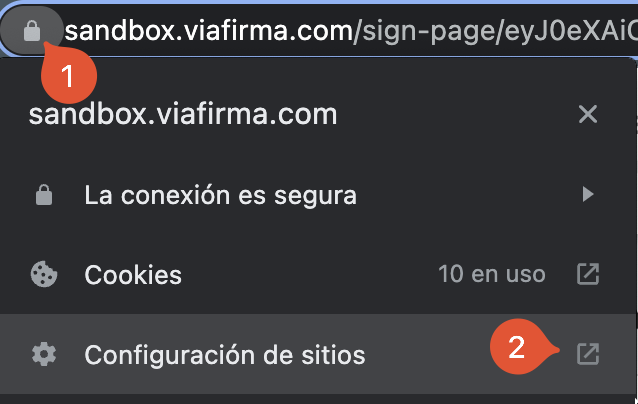
If the camera permission is not listed, we go to “Site Settings”.
Once in the settings, we select “Allow” for Camera permissions.
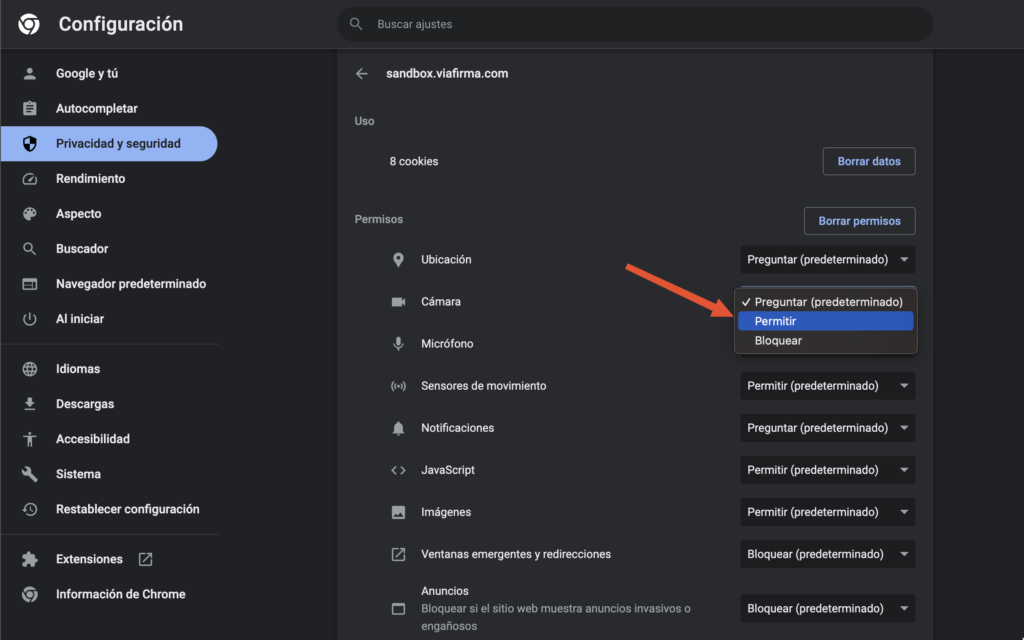
We close the configuration and reload the signature request. If everything went well, the camera should be able to activate and the user will be able to complete the request correctly.