
Do you know what a biometric signature is and what it is used for? These days, it is essential to foster the development of a digital culture that can be applied to any process within a company. To this end, a successful digital transformation will help us to protect our organisation and streamline all kinds of corporate procedures.
What is a biometric signature and how does it work?
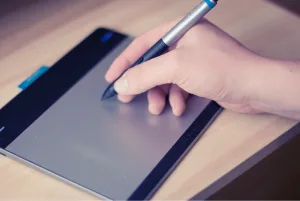
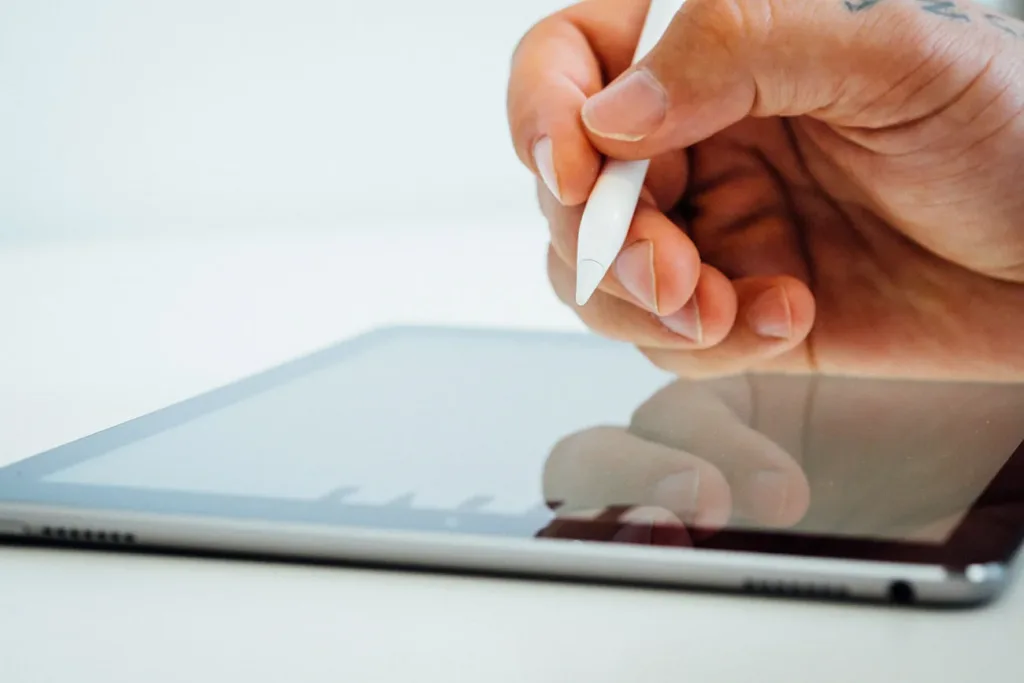
A biometric signature, or digitised biometric signature, is an authentication method based on the dynamics of a person’s handwritten signature. It is created freehand using a stylus on a touchscreen or specialised digital tablet.
During the process, a series of dynamic biometric data points are collected:
- Pressure applied by the stylus
- Writing speed
- Orientation and tilt of the stroke
- Acceleration and duration of the process
Although there are different types of biometric data (such as voice, iris or fingerprint), the most common form of biometric signature is the one we use when signing for a parcel or signing a car hire contract. It is a simple way to validate documents, without the need for a digital certificate, whilst offering a high level of security and confidentiality.
Scanned signature vs. advanced biometric electronic signature: Are they the same thing?
Although it is common to confuse these three terms, there are certain differences between them, starting with the legal certainty they offer:
- Scanned signature: This involves scanning a signature made on paper and pasting it into a PDF document. It offers no legal guarantees and is easily forged.
- Simple electronic signature: This is generated by signing with a finger on a touchscreen, capturing only the stroke. Although it is legally valid, its level of security is low and it may be challenged in the event of a dispute.
-
Biometric electronic signature: A digitized biometric signature is classified as an advanced electronic signature under eIDAS. Although only a qualified signature is presumed to be directly equivalent to a handwritten signature, biometric signatures offer strong evidentiary admissibility in court: the capture of parameters such as pressure, speed, and stroke allows for the submission of a conclusive digital-calligraphic expert report in the event of a dispute.
Compatible devices and main common uses
When using a biometric signature, it is not enough to use just any device. For the signature to be fully legally valid and for the process to capture a set of biometric data of forensic quality, you must use a suitable device:
- Graphics tablets: Devices from leading manufacturers such as Wacom, Topaz and Symbol
- Conventional tablets and smartphones: Mobile devices that support precision-sensor styluses
Everyday use cases
Biometric signing is already part of many everyday processes. Its ease of use and high level of security have made it the preferred option in a wide range of sectors.
- Financial institutions and insurance: In-person signing of contracts, policies and account openings at branches
- Logistics and parcel delivery: Tracking parcels and confirming receipt of goods at their destination
- Retail and car hire: Streamlines shopping in large supermarkets by allowing purchases directly at checkouts, or the formalisation of car hire contracts.
- Corporate environments: Employment contracts, hiring and resignations, holiday requests, validation of internal documents and informed consents
Benefits of biometric technology for large corporations
- You no longer need to worry about forgetting passwords: Remembering passwords is a somewhat outdated method of authentication that requires a unique combination of characters. With biometrics, the user themselves is the key to authentication.
- Increased ROI and time savings: The costs associated with printing, posting, scanning and physically archiving documents are eliminated. Documents (and any type of paperwork) are signed in the cloud in a matter of minutes.
- Elimination of technological friction: As it does not require the installation of digital certificates by the customer or employee, the signing process is instantaneous and requires no prior training.
- Paperless environment and sustainability: You can leave behind the unnecessary handling of hundreds of documents, thereby improving environmental responsibility metrics.
- Flexibility and scalability: One of the strengths of biometrics is its ability to integrate with other technologies already embedded in the company’s workflow.
- Accessibility for all: Anyone can use this technology, without the need for prior training or external devices.
- Enhanced privacy and security: It increases the security of the transmission of customers’ personal data; as a person’s biometric characteristics cannot be stolen, shared or guessed, customers’ privacy is guaranteed.
The cornerstones of the legal and technological security provided by Viafirma
Viafirma offers highly robust biometric security, underpinned by three technical principles:
- Local encryption and confidentiality: The biometric data captured is immediately encrypted using an asymmetric key, which is sometimes held by a trusted third party. It is fully protected and may only be decrypted and disclosed at the request of a judge.
- Inseparability from the document: The biometric data is mathematically sealed to the original PDF document.
- Support for handwriting experts: Viafirma provides a dedicated application for subsequent validation. In the event of a dispute, handwriting experts can access the pressure and speed graphs to verify the authenticity of the signature with complete accuracy.
Is remote biometric signing possible?
This is one of the most frequently asked questions. For a biometric signature to be considered valid, it requires the capture of pressure, speed and tilt data via specific hardware. In a 100% remote scenario, there is no guarantee that the customer will have this specialised hardware available. If you sign remotely by placing your finger on your mobile phone screen, the biometric quality will be insufficient and the system will process it as a simple handwritten signature.
The remote alternative: OTP signature and advanced evidence
For remote scenarios, Viafirma recommends combining the on-screen digital signature with a multi-factor workflow that incorporates alternative electronic evidence:
- OTP signature (SMS or email): A one-time code is sent to the signatory’s phone or email address to ensure they have exclusive control over it.
- Time Stamp Authority (TSA): Integration with a Time Stamp Authority to validate the unalterable date and time of the process.
- Capturing photos of the signatory or other images to be provided as evidence: identity documents, passports, supporting documents, payslips, etc.
The biometric data collected is encrypted and stored in a file that guarantees the confidentiality of its contents.